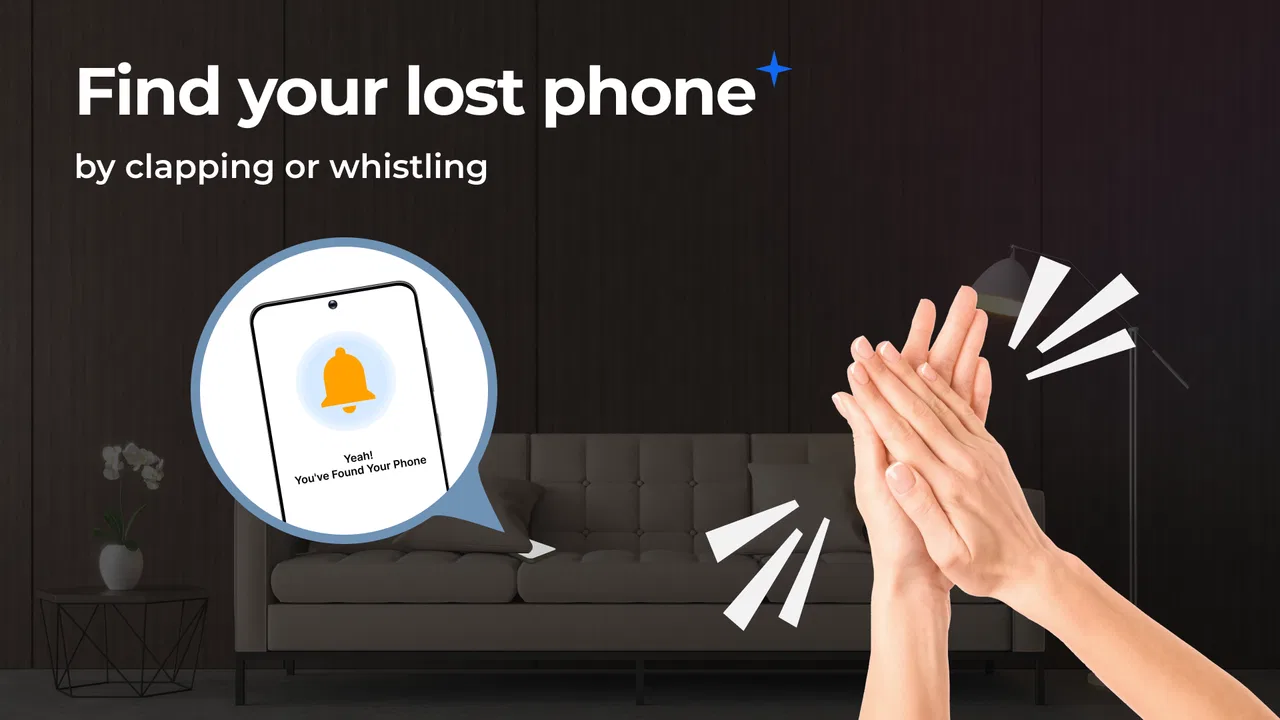
Find My Phone by Clap Launcher
- 4.4
- Rating
- 1.00M
- Installs
- Free
- Price

 Analysis by App-foxy
Losing a phone at home is rarely a dramatic event, but it can waste an irritating amount of time. I have searched sofa cushions, laundry piles, desk drawers, and the exact place where I was sure I had already looked. Find My Phone by Clap Launcher takes a simple approach to that problem: instead of opening another device or retracing every step, you try to make a sound with a clap or whistle and follow it.
That makes this free Tools app most useful for short-range searches, especially when the phone is somewhere nearby but hidden from view. It is not a replacement for a full remote-location service, and I would not treat it as one. Its appeal is narrower and more practical: turning a familiar sound into a quick way to locate a misplaced phone. For that specific job, the idea is easy to understand and potentially much faster than checking every room.
What to expect from Find My Phone
The app is developed by AtomApplications and is aimed at everyday Android users rather than technical enthusiasts. It has an Everyone age rating, so its basic concept is accessible to a broad audience. The app is free, which also makes it easy to try without committing money to a tool you may only use occasionally.
You May Also Like

 Blood Strike: 2.5 Anniversary
Blood Strike’s Loadouts Turn Every Drop Into a Tactical Gamble
A close look at Blood Strike’s custom loadouts: how fast access to signature weapons reshapes its battle royale rhythm, rewards preparation, and narrows the gap between fights.

 Pandora - Music & Podcasts
Pandora’s Music Is Easy to Start, but Harder to Recover
Pandora’s strength is its low-effort path from a seed to a station. Its weak spot is how much confidence it asks you to place in connection, setup, and quiet recovery.

 8 Ball Pool
 Is Built on Rivalries, Rematches, and Routine
A close look at the rivalries, rematches, shared routines, and unanswered safety questions that turn a quick pool match into a persistent mobile community.

 Samsung Music
’s Quiet Strength Is Playing What You Already Own
Its reach comes less from spectacle than from dependable access to a personal library. That simplicity is both the app’s strongest retention engine and its ceiling.

 AccuWeather: Weather Radar
AccuWeather Review: A Quick, Clear Forecast for Everyday Decisions
For everyday plans, the best forecast is the one you can understand quickly. AccuWeather makes rain timing, radar, and local conditions easy to act on, with a few trade-offs.

 Hill Climb Racing
Why Hill Climb Racing Still Turns Crashes Into One More Run
A tiny car, a bumpy hill and one more upgrade: Hill Climb Racing keeps resurfacing because its simple chaos makes every near-miss feel personal.
More From Our News Desk



Its store summary focuses on locating a lost phone with a clap or whistle, and that description is a good guide to the experience. You should think of it as a nearby-phone finder, not a map-based recovery system. If your device is in the house, under a blanket, behind a cushion, or in another room, an audio trigger can be convenient. If the phone has been left on a bus or is no longer close enough for you to hear, this kind of approach is much less useful than the location and account tools already built into a phone platform.
I also like that the concept does not require another person to call your number. Calling works when another phone is available, but it becomes awkward when your only available device is the one you are holding. A clap or whistle removes that dependency. The trade-off is that the phone has to recognize the sound in the situation where you are using it, and the resulting alert has to be noticeable enough for you to follow.
The app has reached over 500 thousand installs and holds a 4.3 average from roughly 4.9 thousand ratings, with about 2.1 thousand written reviews. Those figures suggest that the idea has found a real audience, while still leaving room for individual results to vary. Sound-based tools are especially sensitive to surroundings, so I would judge it by whether it helps in your home and routine rather than assuming the same experience in every environment.
AtomApplications lists the app as free, and the current version is 1.6.0. It was released on July 15, 2025, and requires Android 10 or later. That operating-system requirement is worth checking before you spend time looking for it, particularly if you are using an older phone. On a compatible device, the first goal should be modest: complete setup, put the phone somewhere nearby, and prove that a deliberate clap or whistle can bring up a response.
Who will get the most from it
I see the strongest fit for people who regularly put their phone down in the wrong place. It can also help in a busy home where a phone disappears into bedding, a child’s toy box, or a crowded work area. Someone with limited mobility may appreciate not having to walk through the entire home while searching. The same is true when your hands are occupied and you need a simple audible cue rather than a complicated search process.
It is less suitable if you mainly lose your phone outside the home, keep it muted in situations where an alert would be difficult to notice, or expect a precision locator that shows the device on a map. It is also not the first tool I would choose for a phone that may be stolen or switched off. In those cases, use the operating system’s established device-location and security features instead of relying on a sound-triggered helper.
Getting through setup without guesswork
For a first-time user, the best approach is to install the app when the phone is already in your hand and you have a few quiet minutes. Do not wait until the phone is missing. A setup test removes the most stressful part of the experience: wondering whether the app is ready when you actually need it.
Open the app and move through its initial screens carefully rather than tapping through automatically. Sound-triggered tools need to be ready to listen in the way the app expects, and your phone’s own sound behavior matters too. If the app presents a control or activation step, complete it before putting the phone down. I would also keep the first test close by, where you can immediately see whether your action produces the expected response.
A useful first test is to place the handset on a table a short distance away, make one clear clap, and pause. Avoid clapping repeatedly at the beginning. Repeated attempts make it difficult to tell whether the app reacted to the first sound or to a later one. A single, intentional test gives you a cleaner answer about how your particular room and phone behave.
Room conditions matter more than a store description can convey. A quiet bedroom is a much easier test environment than a kitchen with an extractor fan running, a television playing, or several people talking. Start in quiet surroundings, then try again under normal household noise. This two-stage check tells you whether the app is a dependable part of your routine or only a backup for calm moments.
It is also sensible to test a whistle separately from a clap if you expect to use both. They are not equally comfortable for every person, and the sound may travel differently through your home. A whistle can be sharper and easier to hear from another room, while a clap may be more convenient when you are indoors with other people. The practical winner is the trigger you can make clearly without disturbing everyone nearby.
Your first meaningful success
After the initial test, create a realistic scenario. Put the phone under a cushion or behind a folded item, but leave it somewhere safe and close enough that you can still hear it. Walk to another part of the room, use the chosen sound once, and listen before trying again. This is more useful than simply testing with the phone directly in front of you because it imitates the small obstacles that cause most everyday searches.
When the phone responds, stop making noise and follow the sound. That pause is an underrated part of the workflow. If you keep clapping while listening, you add unnecessary noise and make it harder to identify the phone’s alert. I found that the most efficient pattern is trigger, pause, listen, move, and repeat only if needed.
For a larger home, treat the search like a series of listening points. Stand in one area, make the sound, and wait. If you hear the phone faintly, move in that direction and test again from a closer position. If you hear nothing, change rooms rather than producing a constant stream of claps. This turns the app from a novelty into a simple search method that uses your ears and the phone’s response together.
A realistic evening example would be leaving the phone on a charging surface and later finding that it has slipped behind a chair. Instead of borrowing someone else’s handset to call it, I would use the sound trigger from the nearby room, wait for the response, and narrow the search by moving toward the sound. That is the sort of small success where this app earns its place: not because it solves every kind of loss, but because it removes several steps from a common household annoyance.
Common points of confusion
The biggest misunderstanding is expecting a clap or whistle to work like a remote command from anywhere. The method depends on being close enough to make the sound and hear the response. If the phone is far away, enclosed in a place that blocks sound, or outside your immediate surroundings, the app is not the right recovery method.
Another source of confusion is assuming that every clap is equally useful. A soft clap, a muffled clap, or a clap mixed into background noise may not produce the same result as a deliberate sound in a quiet room. I recommend using a crisp single clap during normal searches and switching to a whistle only when that is more practical in your environment.
Users may also wonder why the phone is not immediately obvious after a successful trigger. Sound can be absorbed by cushions, clothing, drawers, and closed doors. A response that seems quiet from one room may become clear after you move closer. Before deciding that the app failed, repeat the test from a different position and listen between attempts.
There is a social trade-off as well. A phone that reacts to sounds can be inconvenient in a quiet office, classroom, library, or shared bedroom. I would use it primarily at home or in places where an audible response will not cause disruption. If you need a discreet search, the standard device-location options or a call from another phone may be better.
Battery and phone state are practical considerations too, even though they are easy to overlook during setup. A phone that is powered down cannot respond, and a device buried deeply in luggage may be impossible to hear. This is why I see the app as a convenience layer rather than a complete safety net. It helps most when the phone is nearby, active, and merely out of sight.
How it compares with the usual alternatives
The most familiar alternative is calling the phone from another device. Calling has the advantage of being familiar and can work when you are already with a friend or have access to a second handset. Find My Phone is more convenient when no second phone is available. Its weakness is that it depends on a sound-based interaction that may be less reliable in noisy surroundings.
Operating-system location services are stronger for a phone that may be away from home. They can be the better choice when you need to see a last known position, secure an account, or manage a device that is no longer within earshot. They are usually more involved than making a sound, though, and they may require another device, an account login, or access to a browser. I would keep both approaches available rather than treating them as competitors.
Bluetooth trackers and similar accessories are another category entirely. They can help locate keys, bags, or other items, but they require extra hardware and do not solve the immediate problem of finding the phone itself. This app is appealing precisely because it uses the handset you already own. The trade-off is that it cannot extend the search beyond the practical range of your ears and the trigger.
That comparison clarifies the app’s real value. It is not the most powerful option, but it may be the quickest option for a phone lost a few metres away. For a first-time user, I would install it alongside—not instead of—the phone’s built-in recovery tools. One handles the sofa-and-bedroom problem; the other handles the missing-or-stolen-device problem.
Small habits that make it more useful
First, test the app in the places where you most often lose your phone. A successful test beside your desk does not tell you how well you will hear it from a hallway, a kitchen, or beneath bedding. Testing those locations once gives you a realistic idea of its usefulness without waiting for a stressful search.
Second, choose one default trigger and make it part of your routine. If you alternate between random claps and whistles, you may waste time deciding what to try. I would choose the sound that is comfortable, distinctive, and acceptable around other people, then keep the second option as a backup for a different environment.
Third, avoid turning the search into a loud guessing game. Use one sound, listen, and relocate. This reduces disturbance and makes the phone’s response easier to identify. It is a small workflow change, but it is more effective than repeatedly making noise from the same spot.
Finally, remember where this app stops being appropriate. If you suspect the phone is not nearby, switch immediately to the platform’s device-finding service. If you think someone else has taken it, focus on account protection and remote security. The smartest setup is a layered one: this app for nearby misplacement, built-in recovery tools for everything beyond your hearing.
My recommendation after using it
Find My Phone by Clap Launcher is a focused tool with a clear everyday purpose. I would recommend it to anyone who often loses a phone indoors and wants a hands-free alternative to calling from another device. The free price and Everyone rating make it approachable, while the Android 10 minimum means older devices should be checked before installation.
I would not recommend relying on it as your only way to recover a missing phone. Its success depends on proximity, a usable sound trigger, and an audible response. Those conditions are perfectly reasonable for a home search, but they do not cover a phone left in public, turned off, or hidden beyond listening range.
My advice is to install it, complete the setup while the phone is in your hand, and perform a proper test in a quiet room followed by a normal household setting. If the response is easy to hear and the trigger fits your routine, the app can save real time during those familiar “where did I put it?” moments. If your main concern is theft or long-distance recovery, keep using the standard security and location options instead.
In short, I see this as a practical convenience rather than a complete tracking solution. It succeeds when the problem is simple but annoying: the phone is close, the room is cluttered, and you need a fast way to make it reveal itself. For that narrow situation, it is easy to understand, free to try, and worth keeping available if the first test works well in your own home.
FAQs for Find My Phone by Clap Launcher
01How does Find My Phone by Clap Launcher work?
Find My Phone by Clap Launcher uses your device's microphone to detect clapping sounds. Once activated, the app listens for a specific clap pattern and triggers an alarm on your phone, making it easy to locate. It’s a simple and effective solution for those who frequently misplace their devices at home or in the office.
02Is Find My Phone by Clap Launcher compatible with all Android and iOS devices?
Find My Phone by Clap Launcher is compatible with most modern Android and iOS devices. However, it requires access to your microphone and may need specific system permissions to function correctly. It's recommended to check the app's requirements on the download page to ensure compatibility with your specific device model and operating system version.
03Does the app drain my phone's battery significantly?
The app is designed to be energy-efficient, running in the background with minimal impact on battery life. It only activates the microphone when necessary and conserves power by using optimized algorithms. However, like any background app, it might slightly reduce standby time, so it's best to monitor your device's battery performance after installation.
04Can I customize the clap pattern or sensitivity settings?
Yes, Find My Phone by Clap Launcher offers customization options allowing you to change the clap pattern and adjust sensitivity levels. This flexibility ensures that the app responds accurately to your claps, avoiding false positives while remaining effective in various noise environments. These settings can be accessed through the app’s main menu.
05Is my privacy protected while using Find My Phone by Clap Launcher?
Privacy is a priority for Find My Phone by Clap Launcher. The app only listens for specific clap patterns and does not record or store any audio data beyond this function. It uses your microphone solely for the purpose of detecting claps, ensuring that your personal conversations and activities remain private.
Pros
- Simple to use with intuitive setup.
- Works even when the phone is on silent.
- Minimal battery consumption.
- Customizable clap sensitivity.
- No internet connection required.
Cons
- May not work well in noisy environments.
- Limited to clapping for activation.
- No additional tracking features.
- Ads can be intrusive.
- Not available for iOS devices.

Find My Phone by Clap Launcher
Gallery